 Aspire Budgeting
Know before you spend
Check category balances
See available amounts grouped the same way as your Aspire budget, with clear signals when a category is low or overspent.
Included with Aspire Turbo
Check what is safe to spend, review recent activity, and log a purchase before the receipt disappears into your pocket.
Requires an active Turbo subscription and a spreadsheet linked from the desktop add-on.
Learn how to install Aspire Mobile →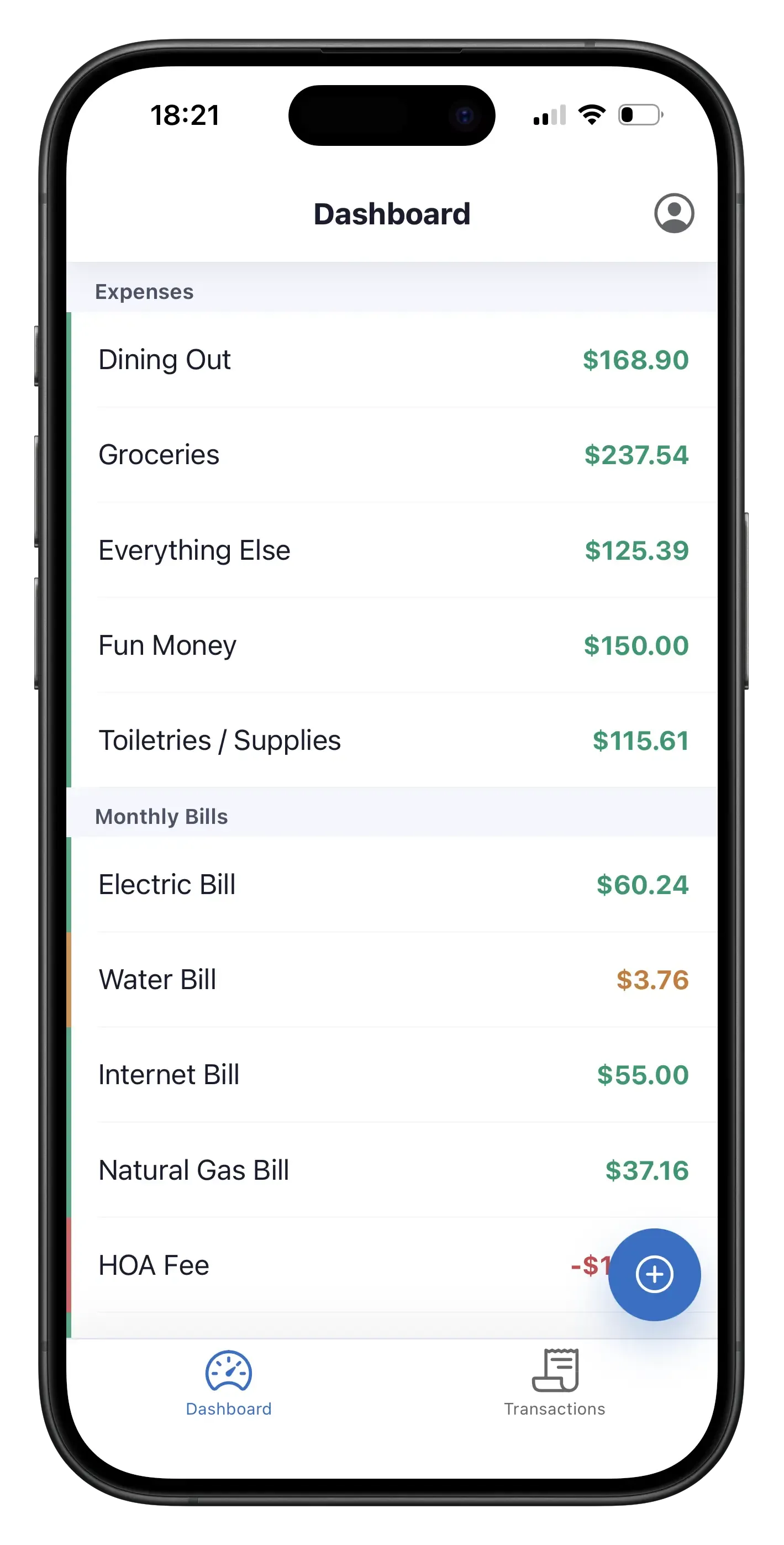
Aspire Mobile is a focused companion to your spreadsheet — not a smaller, harder-to-use spreadsheet squeezed onto a phone.
Know before you spend
See available amounts grouped the same way as your Aspire budget, with clear signals when a category is low or overspent.
Stay current
Choose the account and category from your spreadsheet, add an optional payee or memo, and save the purchase directly to Aspire.
Keep context
Scan your 100 most recent transactions by date, including the category, account, payee, and amount.
Built for the moments between budget reviews
Check what happened, then capture the next purchase while the details are still fresh.
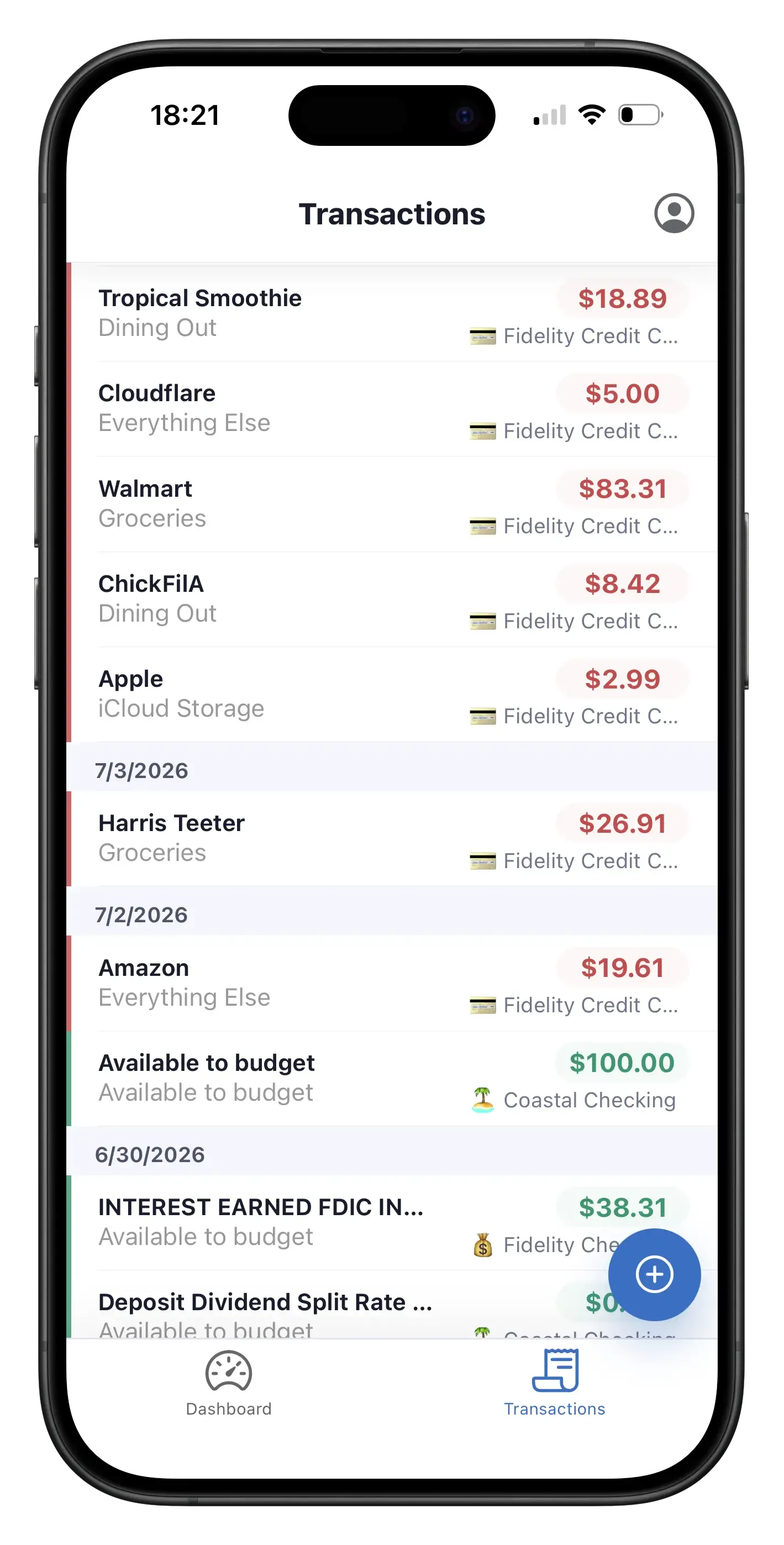
Recent activity
Review up to 100 recent transactions with the payee, category, account, and amount together in one scan-friendly view.
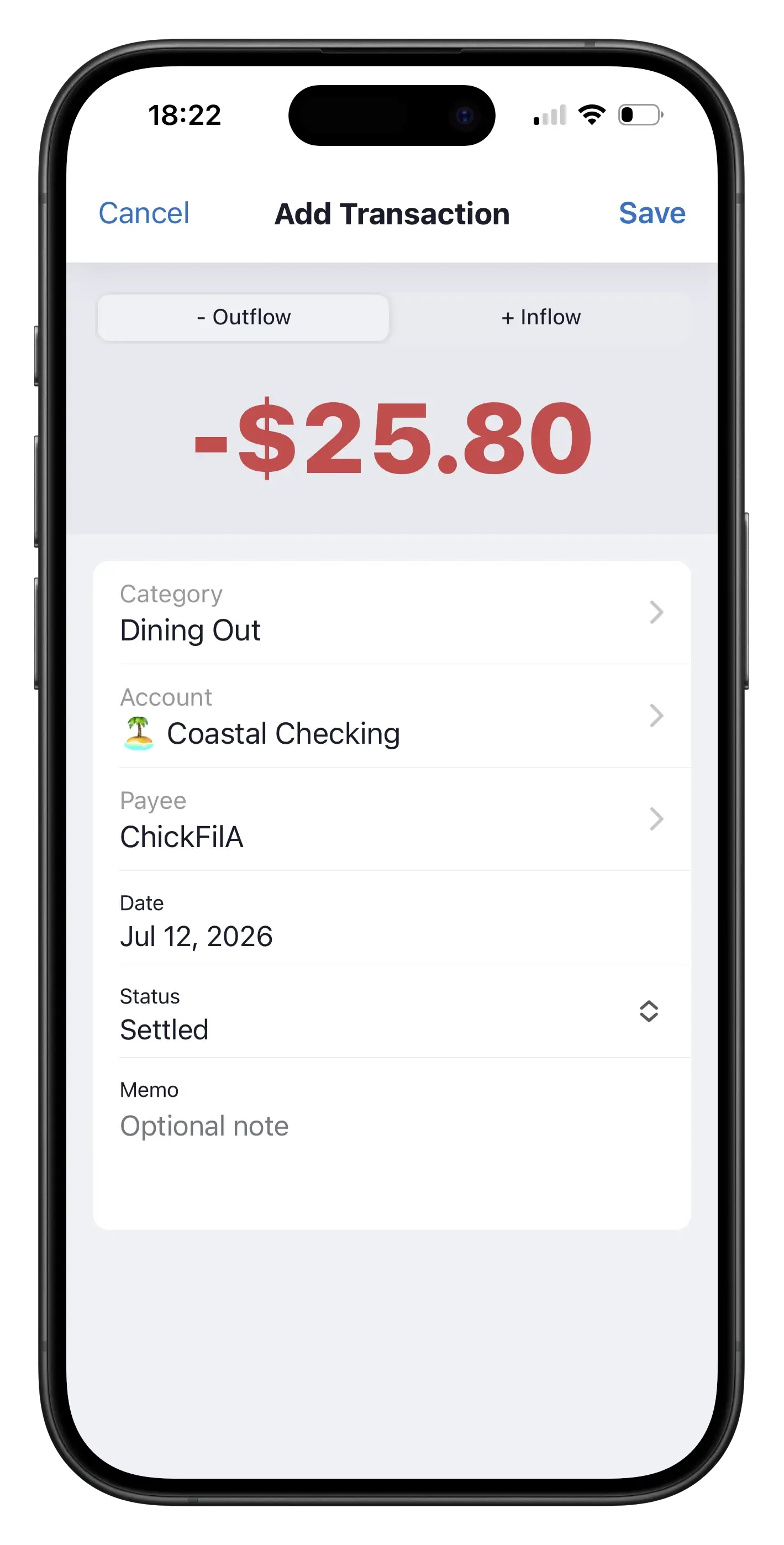
Quick entry
Record an inflow or outflow with the categories, accounts, and payees already defined in your linked Aspire spreadsheet.
Your spreadsheet stays in charge
Aspire Mobile uses the accounts, categories, payees, currency, and locale from the Aspire spreadsheet you explicitly link. New transactions are written back to that spreadsheet, so there is no second budget to reconcile.
Aspire Mobile is included with every active Aspire Turbo subscription.
On a computer, open the Aspire sidebar and choose Settings & Support → Aspire Mobile → Link this spreadsheet.
Visit app.aspirebudget.com with a Google account that can access the linked spreadsheet.
Included with Aspire Turbo
Get Aspire Mobile, CSV import, auto-categorization, Quick Budget, Budget Forecast, recurring expense tracking, and more for $5/month.
See pricing