Assign every dollar a job. Track spending by category. See exactly where your money goes — all inside a Google Sheet you own.
No Aspire account. No credit card. Just copy Aspire to your Drive.
Quick answer
A zero-based budget template helps you assign every dollar of income to a category before you spend it. In Aspire, your Google Sheet shows what is available to budget, what each category has left, and how your spending changes over time.
The template is free to copy, works in your own Google Drive, and combines zero-based budgeting with digital envelope categories.
Want to understand the spreadsheet structure first? Follow thestep-by-step guide to building a zero-based budget.
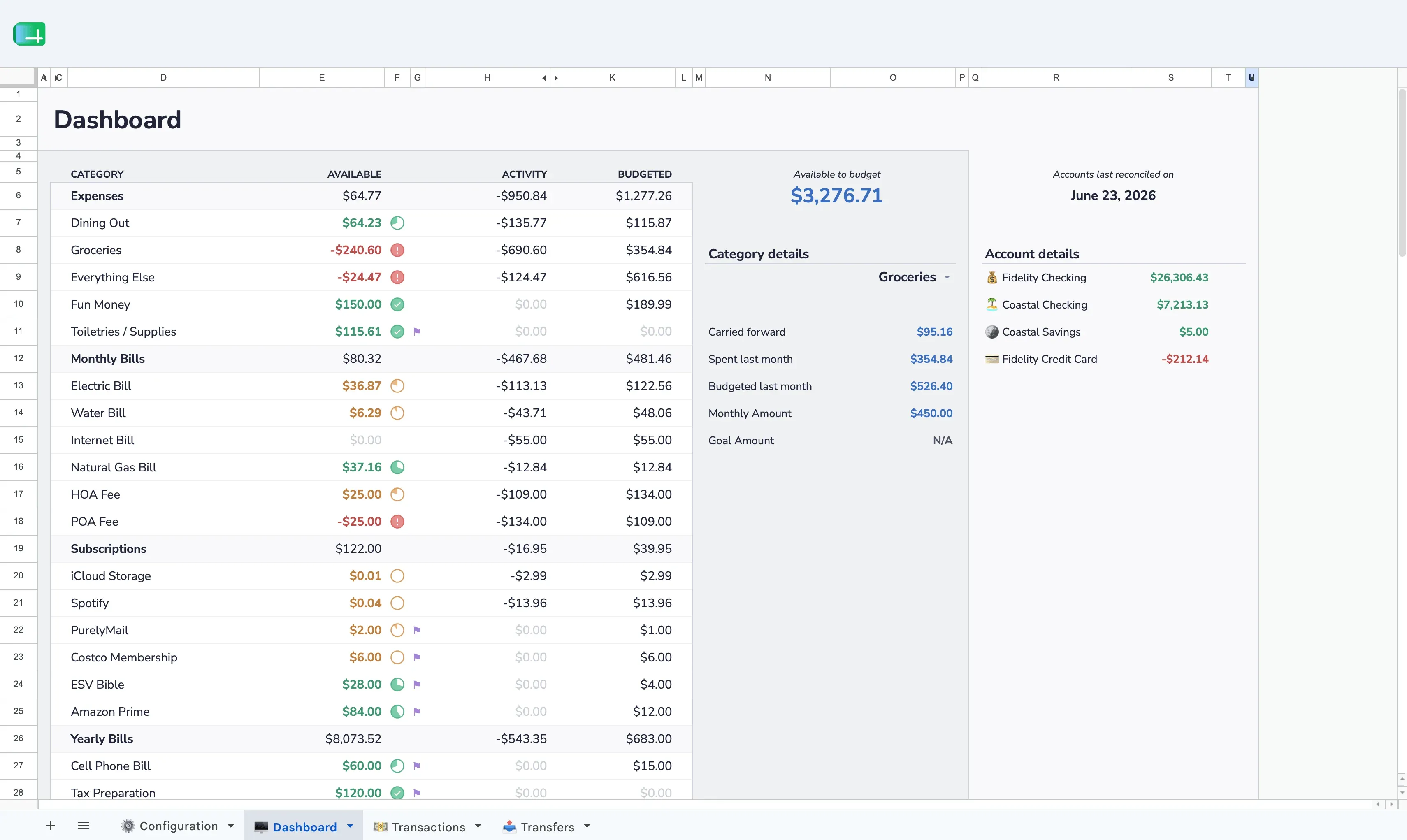
See every category balance, your available-to-budget total, and account balances at a glance. Know your financial position in seconds.
Log income and expenses with date, amount, category, and account. The dashboard updates automatically.
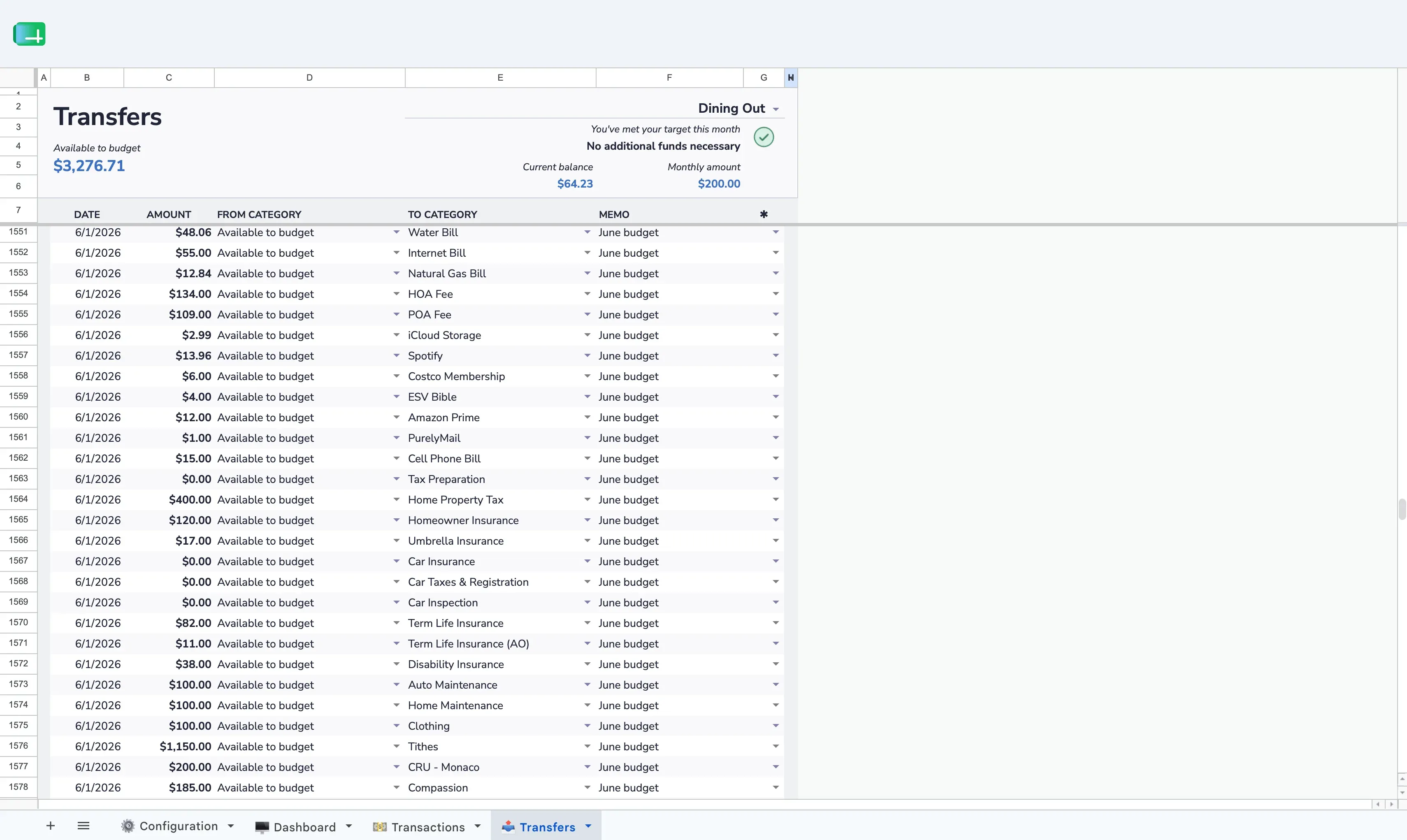
Overspent on dining? Move money from another category. Your budget stays balanced and intentional.
Visual breakdowns of where your money went each month. Spot patterns and make adjustments.
Track category spending over time. See if your grocery spending is creeping up or your savings rate is improving.
Track checking, savings, and credit card accounts in one budget. Reconcile balances across all of them.
Start with your income
How much money do you actually have available right now?
Assign every dollar
Rent, groceries, savings, fun money — each dollar gets a category until "Available to Budget" hits zero.
Track spending
As you spend, log transactions. Category balances update automatically.
Adjust as life happens
Overspent somewhere? Transfer from another category. The budget stays balanced.
| DIY Spreadsheet | Aspire Budgeting | |
|---|---|---|
| Setup time | Hours of formula work | 10 minutes |
| Monthly rollovers | Build it yourself | Automatic |
| Reports | Manual charts | Built-in spending & trends |
| Multi-account | Complex formulas | Built in |
| Category transfers | Not supported | Dedicated tab |
| Cost | Free (your time) | Free |
Couples budgeting together
Share one spreadsheet with your partner. Both can edit from any device.
YNAB users tired of subscriptions
Envelope-style zero-based budgeting with no monthly fee for the core. Your working budget is in your Drive.
Spreadsheet people
You want to see the formulas, tweak the layout, and own the system.
Privacy-conscious budgeters
No bank linking, no third-party access. Just a spreadsheet in your Drive.
Copy the template, set up your categories, and give every dollar a job. Takes about 10 minutes.
 Aspire Budgeting