Divide your income into digital envelopes. Spend from each category until it's gone. Know exactly where every dollar is — all in a free spreadsheet you own.
Get the free templateNo Aspire account or subscription for the core. Copy Aspire to your Google Drive and start.
Quick answer
Yes. A Google Sheets envelope budget uses categories as digital envelopes: you assign income to each category, spend from that balance, and move money between envelopes when plans change.
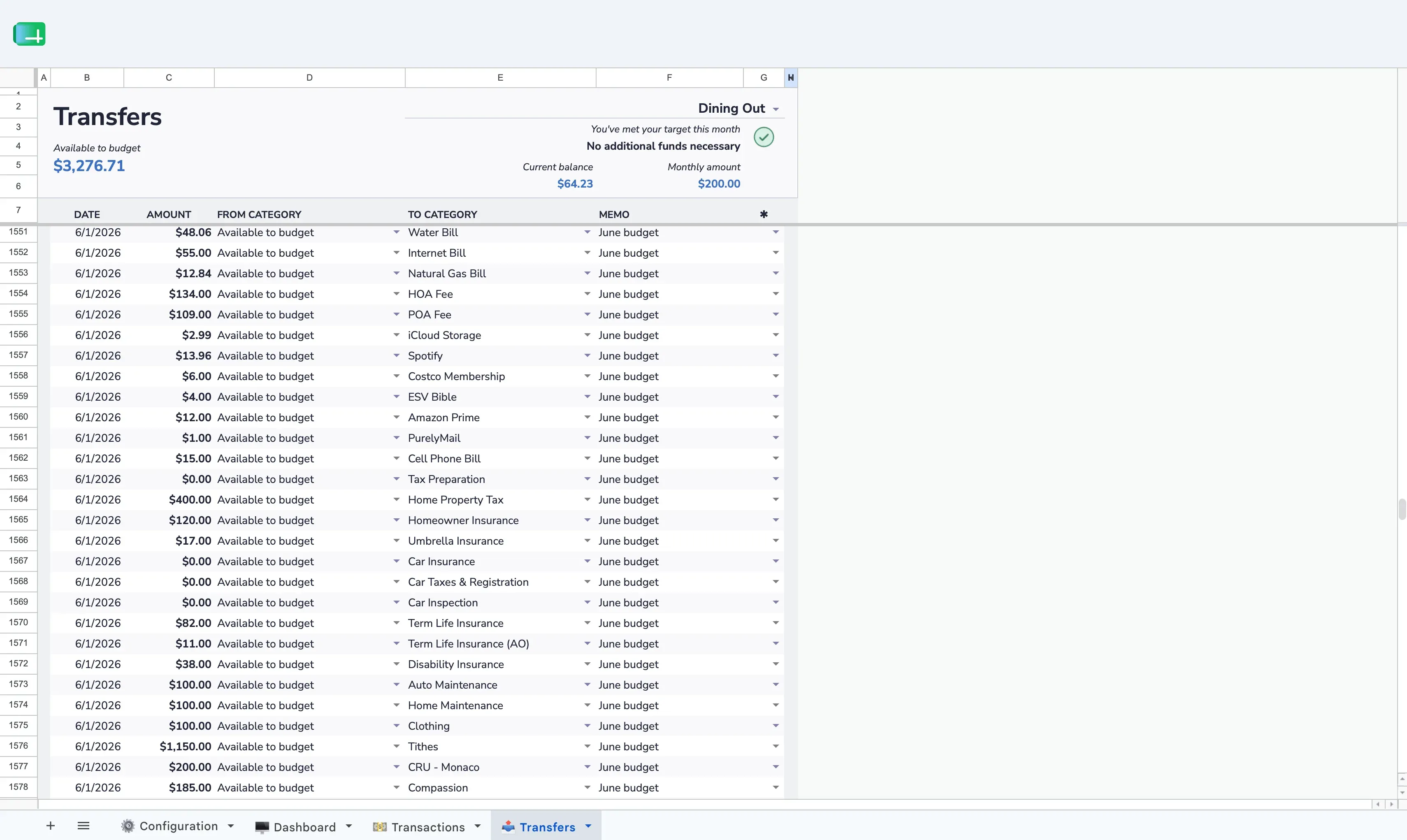
Aspire gives you the envelope system already built in, including category rollovers, transfers, reports, and a dashboard that shows what each envelope has left.
Create your envelopes
Add categories in the Configuration tab — rent, groceries, dining out, savings, whatever fits your life. Group them however you want.
Fill the envelopes
When income arrives, assign dollars to each category on the Dashboard. Keep going until Available to Budget hits zero — every dollar has a home.
Spend from the envelopes
Log transactions in the Transactions tab. Each one pulls from its category balance. You always know how much is left in each envelope.
Adjust as needed
Life changes. Move money between envelopes with a Category Transfer. Overspent on groceries? Pull from dining out. No guilt — just flexibility.
Makes overspending obvious
When a category hits zero, you know immediately. No more wondering "can I afford this?" — the envelope tells you.
Separates wants from needs
Giving each purpose its own envelope forces you to decide what matters before you spend — not after.
Works for irregular income
Freelancers and gig workers fill envelopes as money comes in. Prioritize essentials first, then fund the rest.
Eliminates "where did it go?"
Every transaction belongs to a category. At month's end, you know exactly where every dollar went.
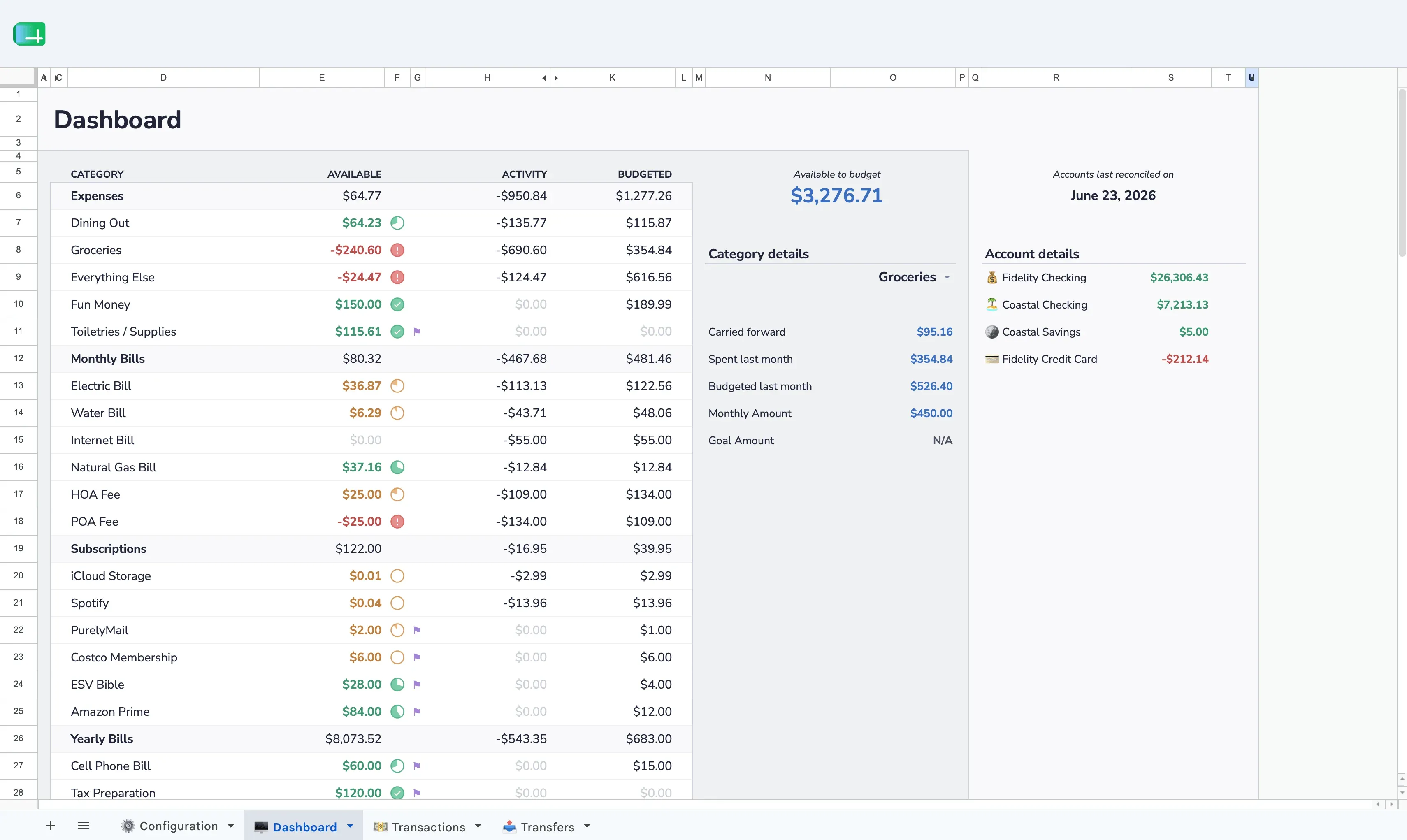
Most spreadsheets just track where money went. Envelope budgeting tells money where to go before you spend it. That's the difference between awareness and control.
Expense tracking
Envelope budgeting
Free. In a spreadsheet you own. Set up in 10 minutes.
 Aspire Budgeting