Aspire logo
SVG logo mark for web and print layouts.
Download SVGPress kit
Images, logos, product facts, and background information for articles, roundups, reviews, podcasts, and creator coverage.
A free zero-based budgeting spreadsheet for Google Sheets.
Boilerplate
Aspire Budgeting is a free zero-based envelope budgeting system built in Google Sheets. It helps people assign every dollar a job, track category balances, log transactions, review five interactive reports, and keep ownership of their budget data in their own Google Drive. Aspire Turbo is an optional paid add-on that adds CSV import, auto-categorization, quick budgeting, forecasting, recurring expense detection, and other workflow tools.
Logo
Use the Aspire Budgeting logo for editorial coverage, app roundups, reviews, and educational resources.
SVG logo mark for web and print layouts.
Download SVGUse plenty of contrast and avoid stretching or recoloring the mark.
Download PNG iconScreenshots
Screenshots are suitable for editorial use. Please keep the interface visible and avoid heavy cropping that obscures the spreadsheet or add-on context.
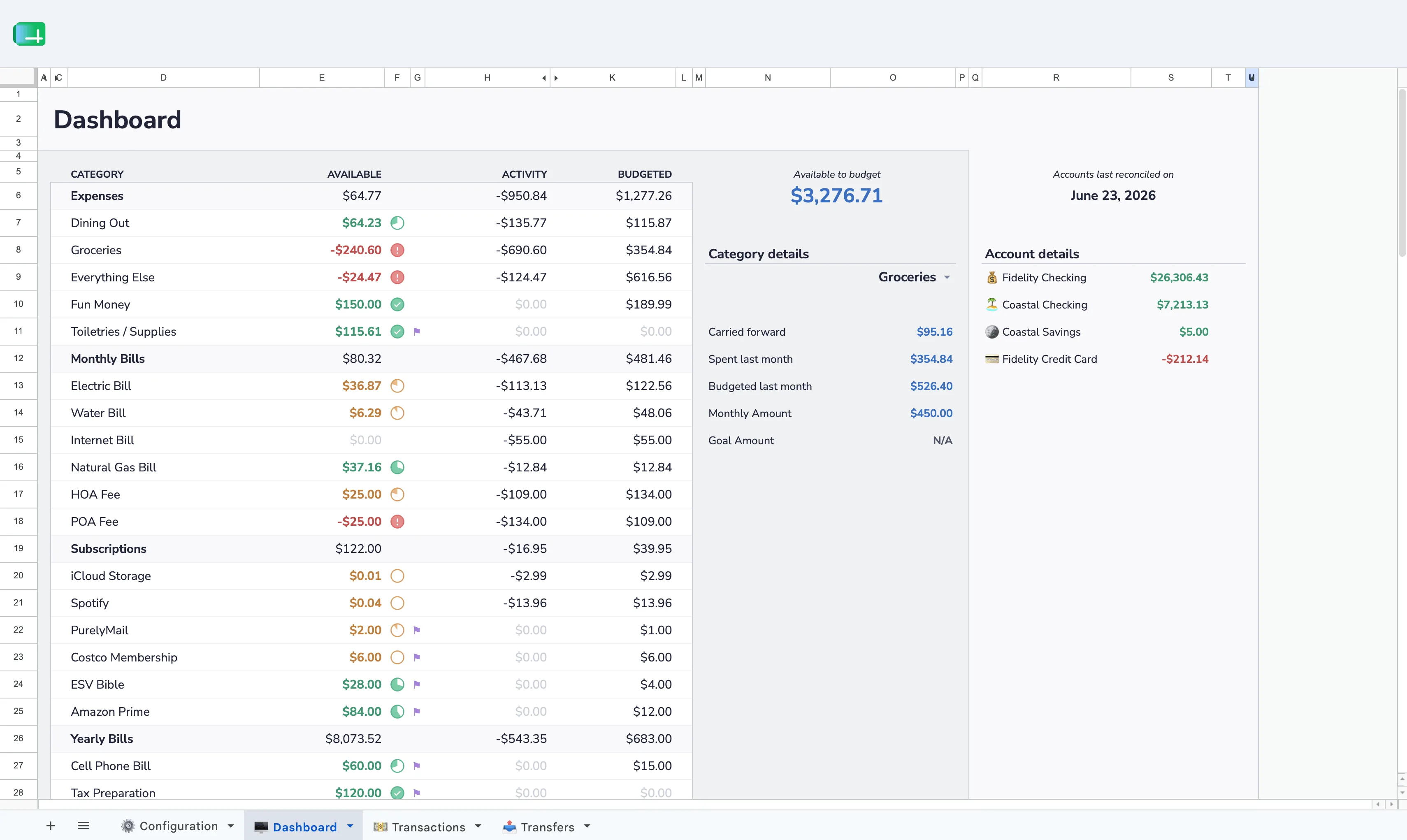
Category balances, account totals, and month-level budget status in Google Sheets.
Download image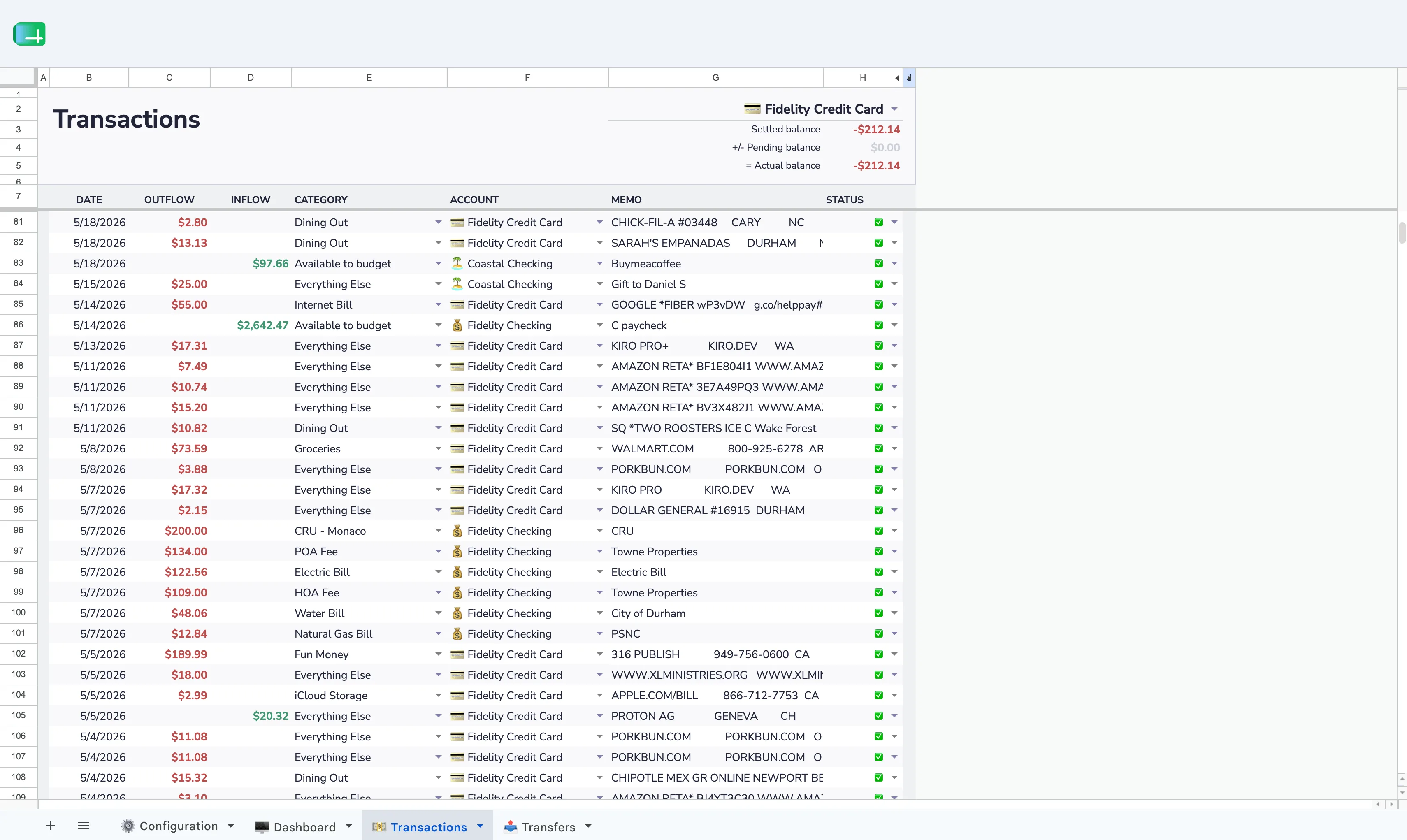
Manual transaction tracking with categories, accounts, dates, and memo fields.
Download image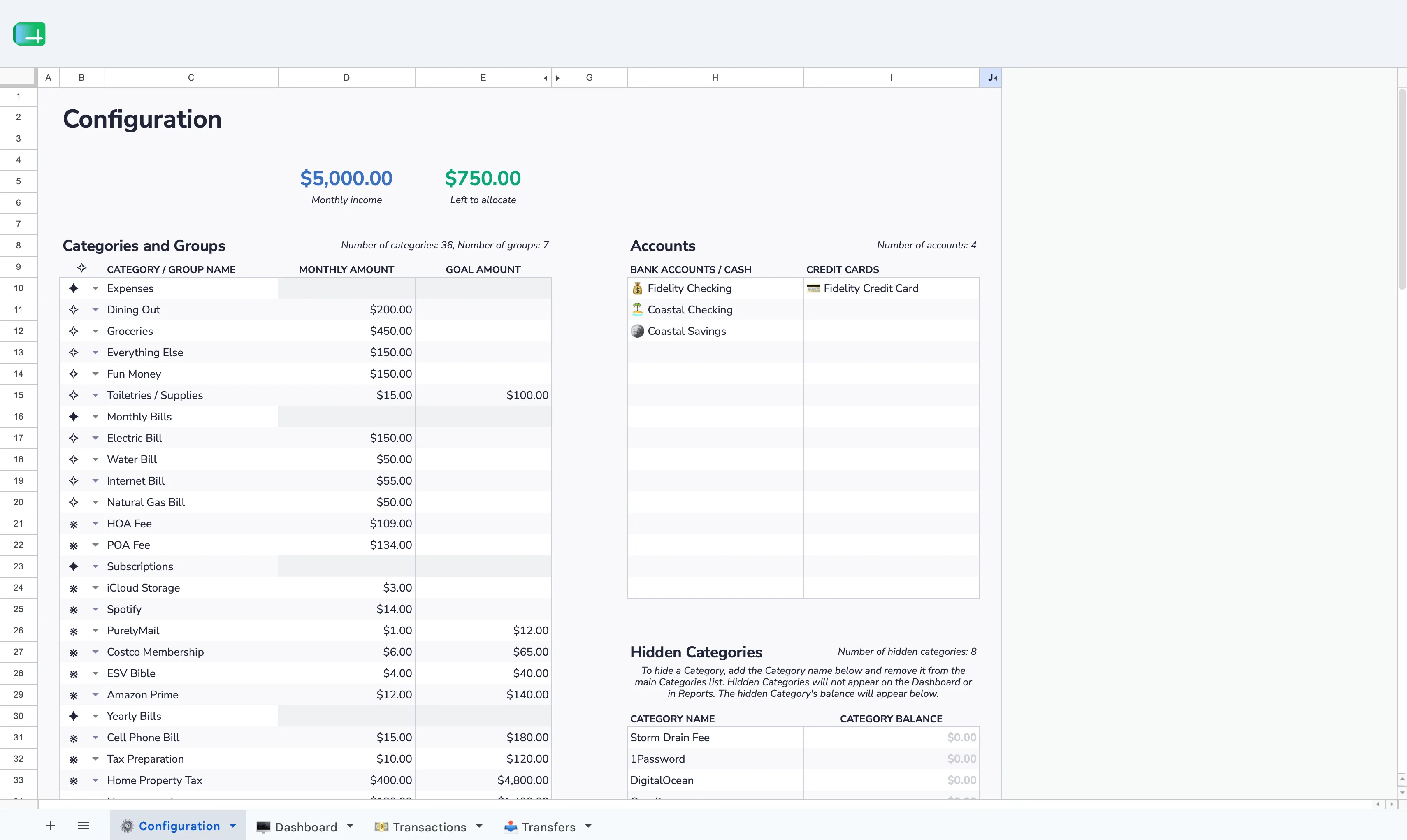
Custom category groups, monthly targets, account setup, and budget structure.
Download image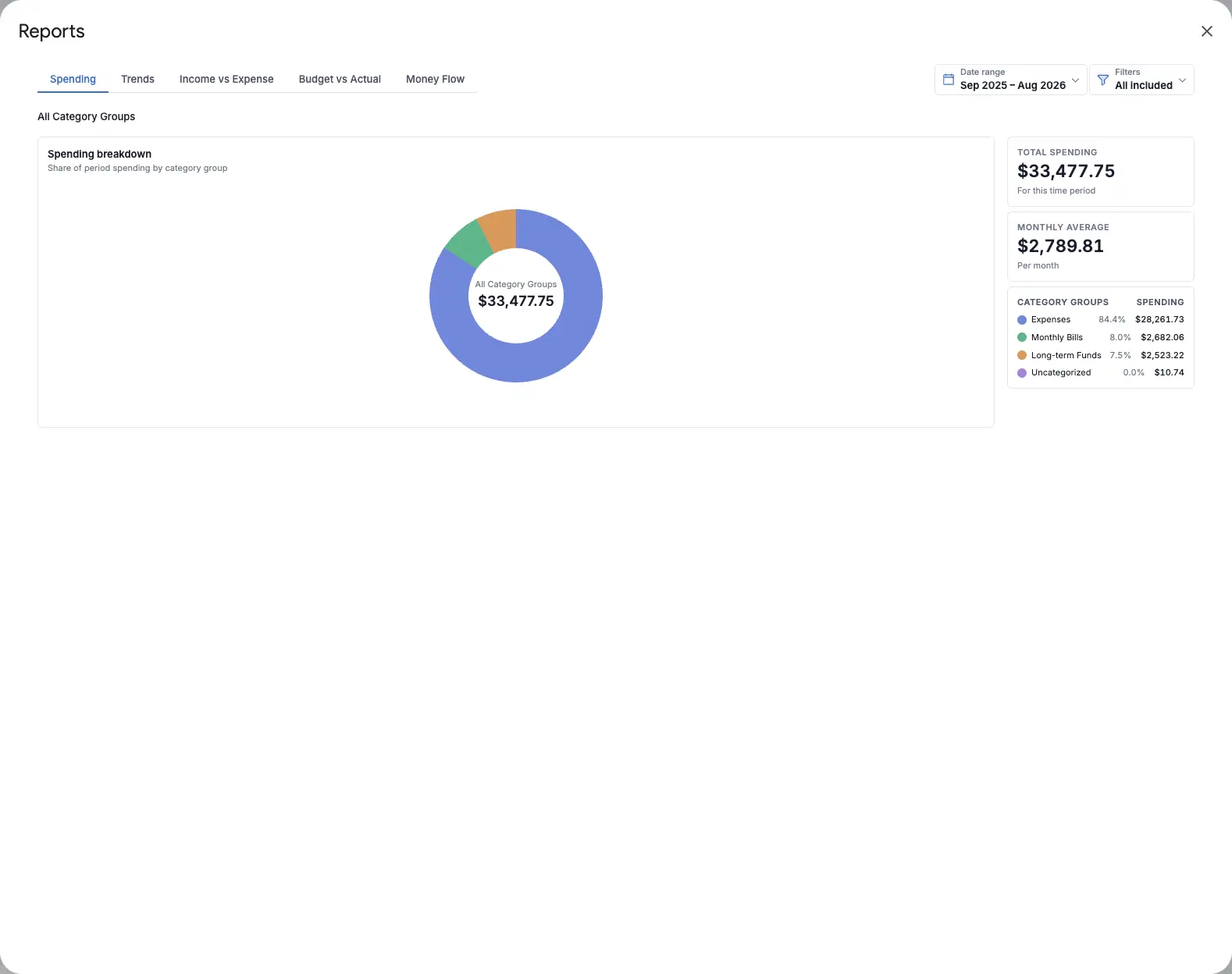
Interactive category-group and category breakdowns with transaction drill-downs.
Download image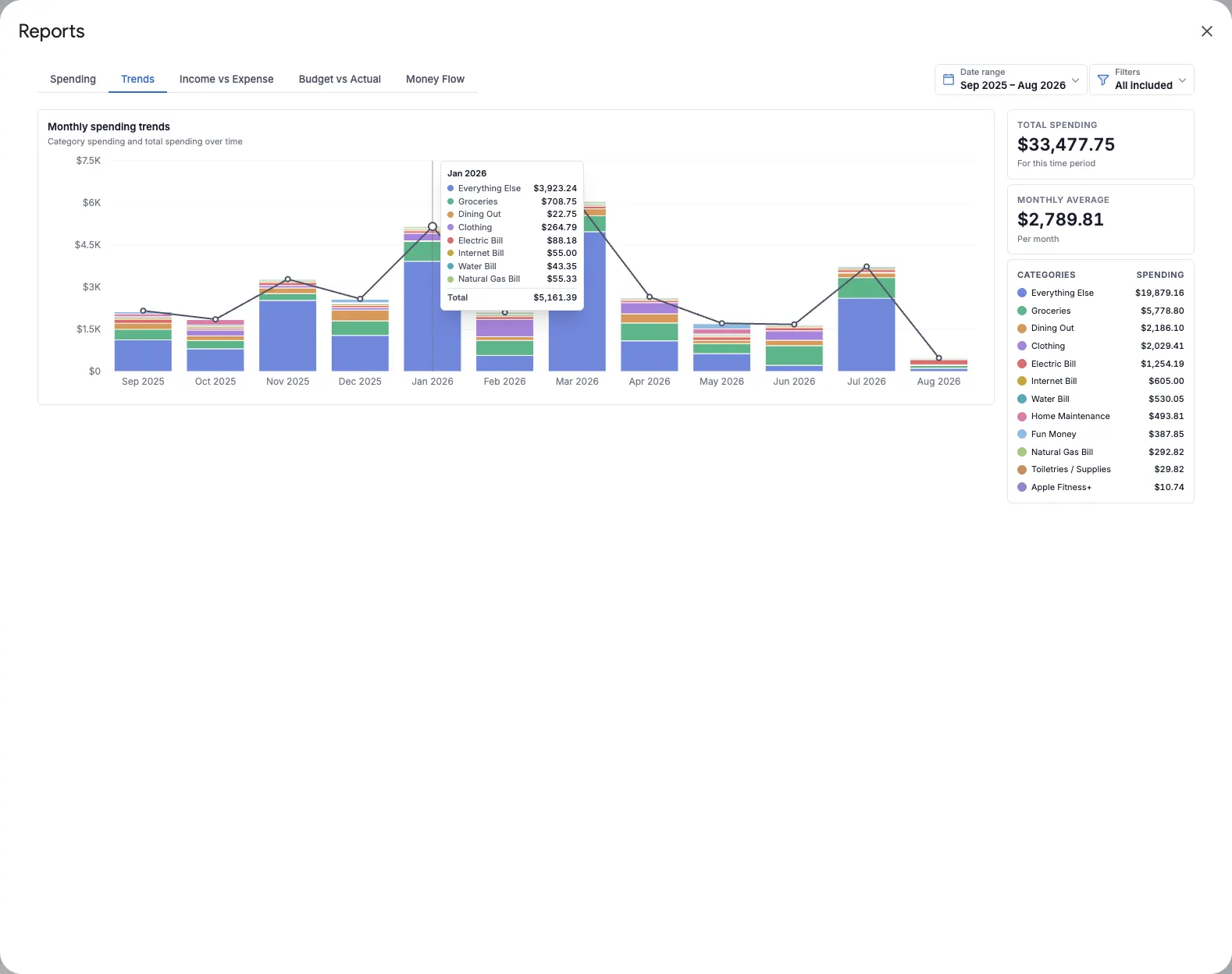
Monthly category spending, total-spending trends, and exact values on hover.
Download image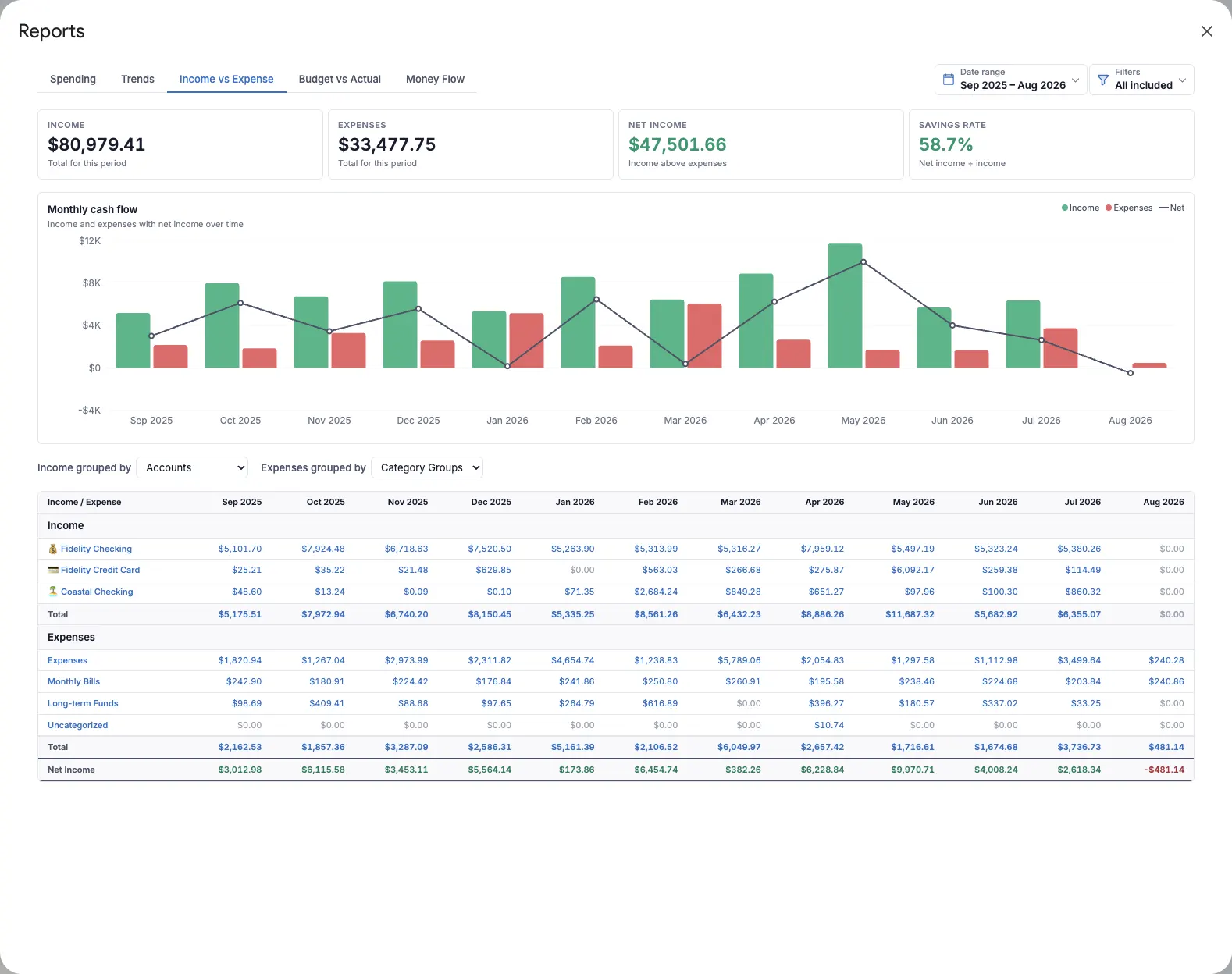
Monthly income, expenses, net income, savings rate, and detailed groupings.
Download image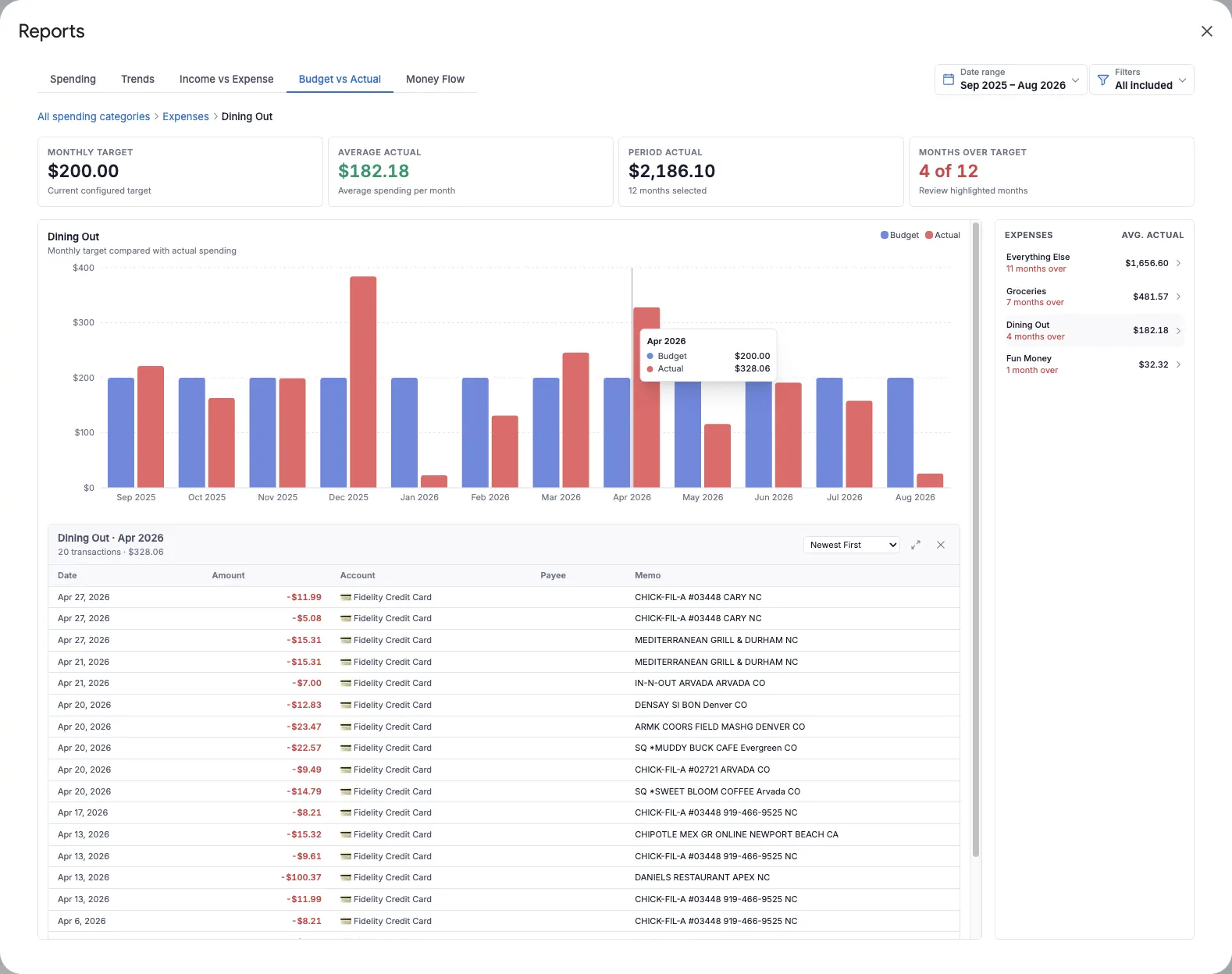
Monthly targets compared with actual spending, including category and transaction drill-downs.
Download image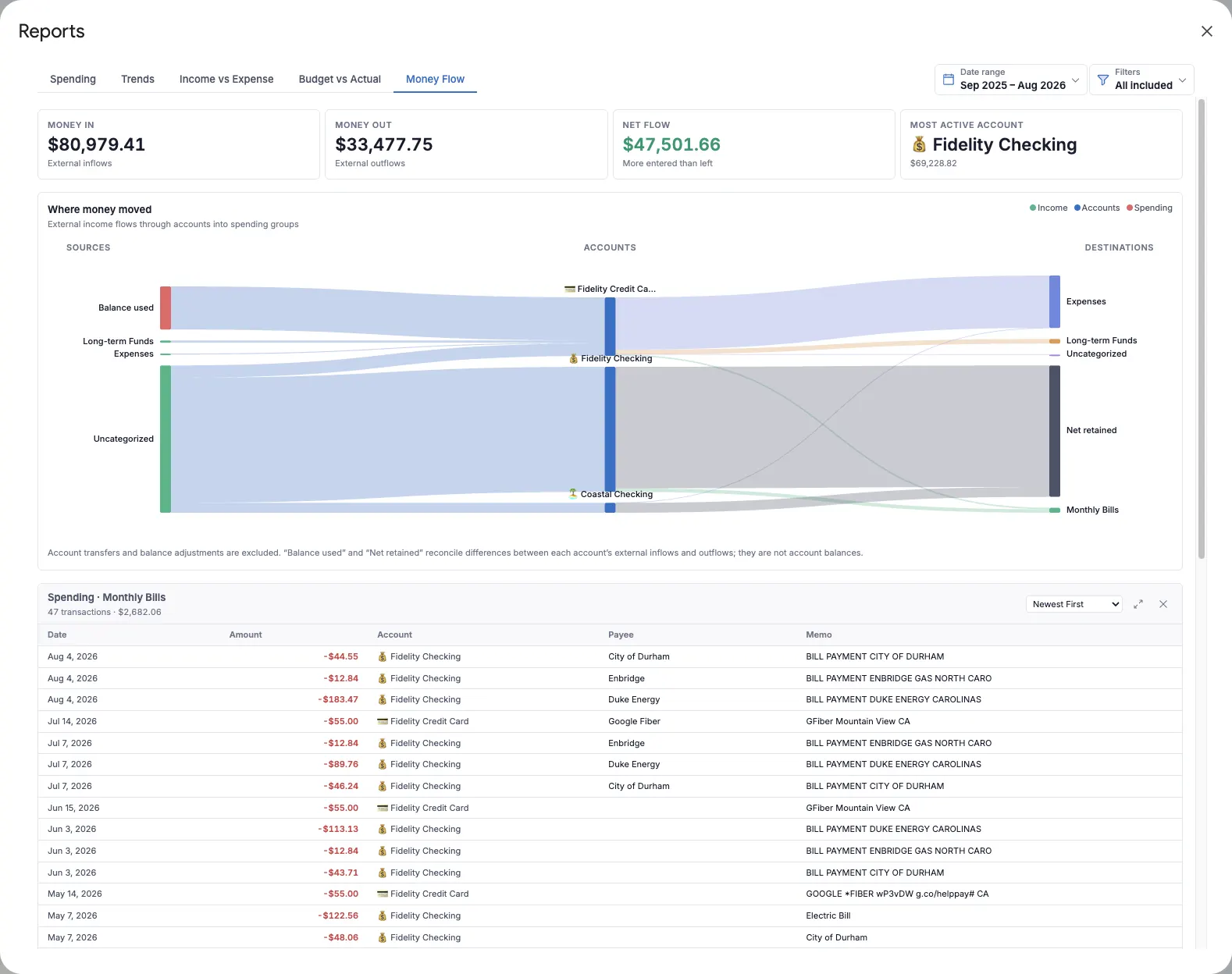
A flow diagram connecting external income, accounts, and spending groups.
Download image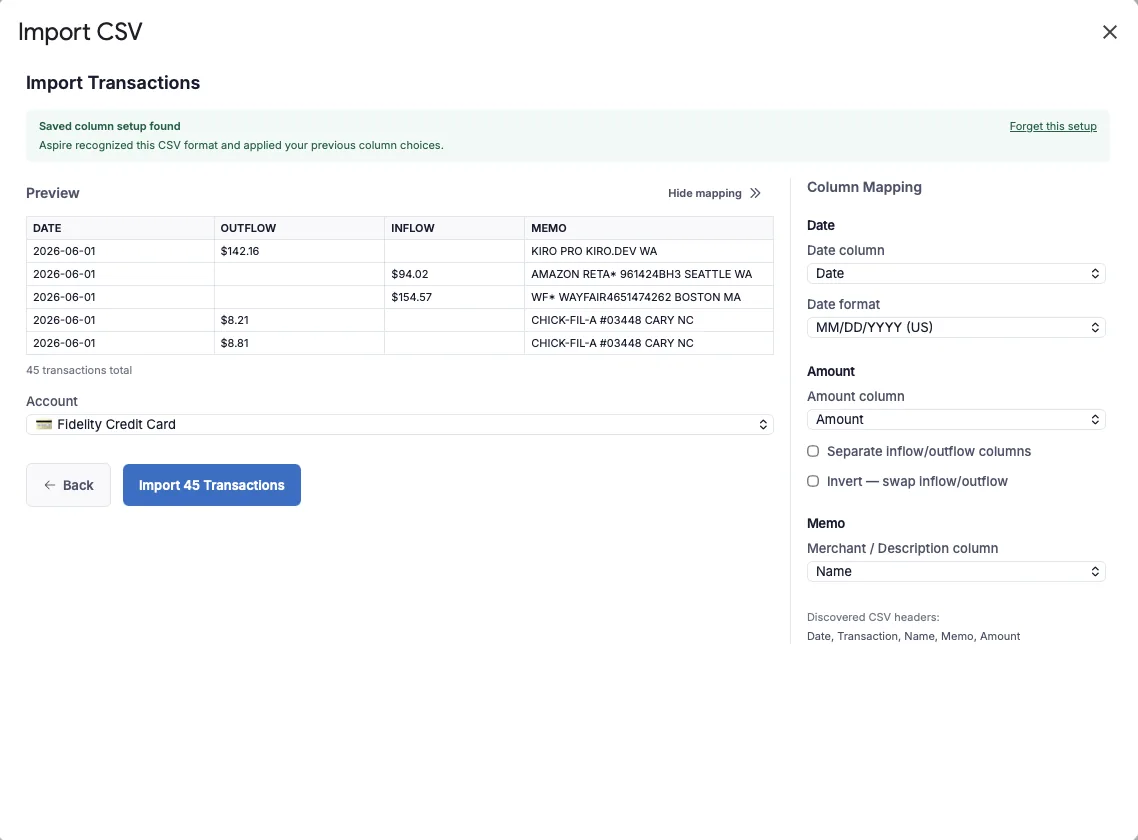
Optional Turbo workflow for importing bank CSV files without sharing bank credentials.
Download image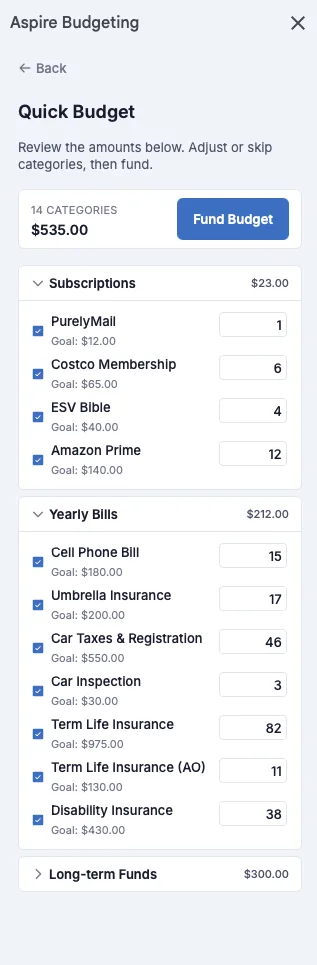
Optional Turbo tool that helps fund budget categories from monthly targets.
Download image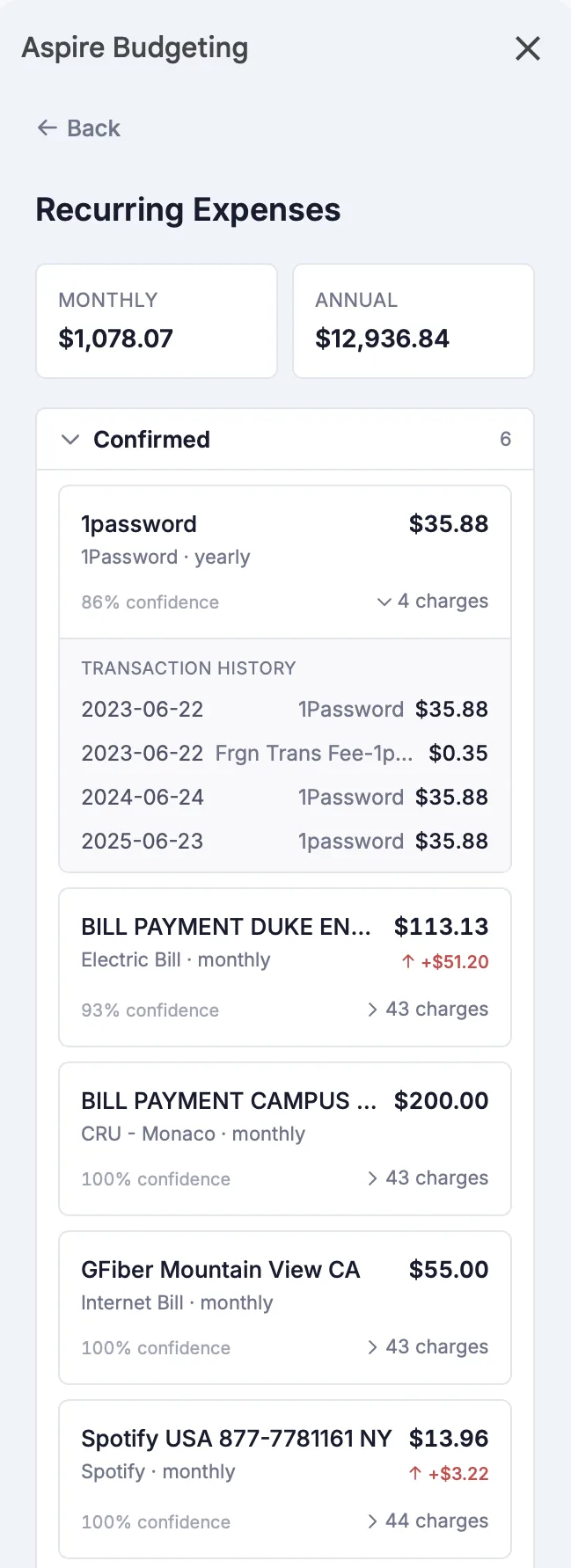
Optional Turbo report that surfaces recurring bills and subscriptions from transaction history.
Download imageFast facts
For press inquiries, creator roundups, screenshots, or background details, email Matt directly.